Gigabit Ethernet – Adapter Settings to Improve Network Performance [AN201622]
All Baumer Gigabit Ethernet Cameras
To ensure maximum network performance with Baumer industrial cameras, special network card settings are recommended. This document describes the features and available settings.
Technical Background
The following features and options refer to Intel® Network Interface Cards and corresponding drivers for Windows® operating systems. The tips provided should not be considered a universal solution for all Ethernet-related problems. The described settings can be performed in addition to the necessary network configuration described in the Installation Guide.
Package Size
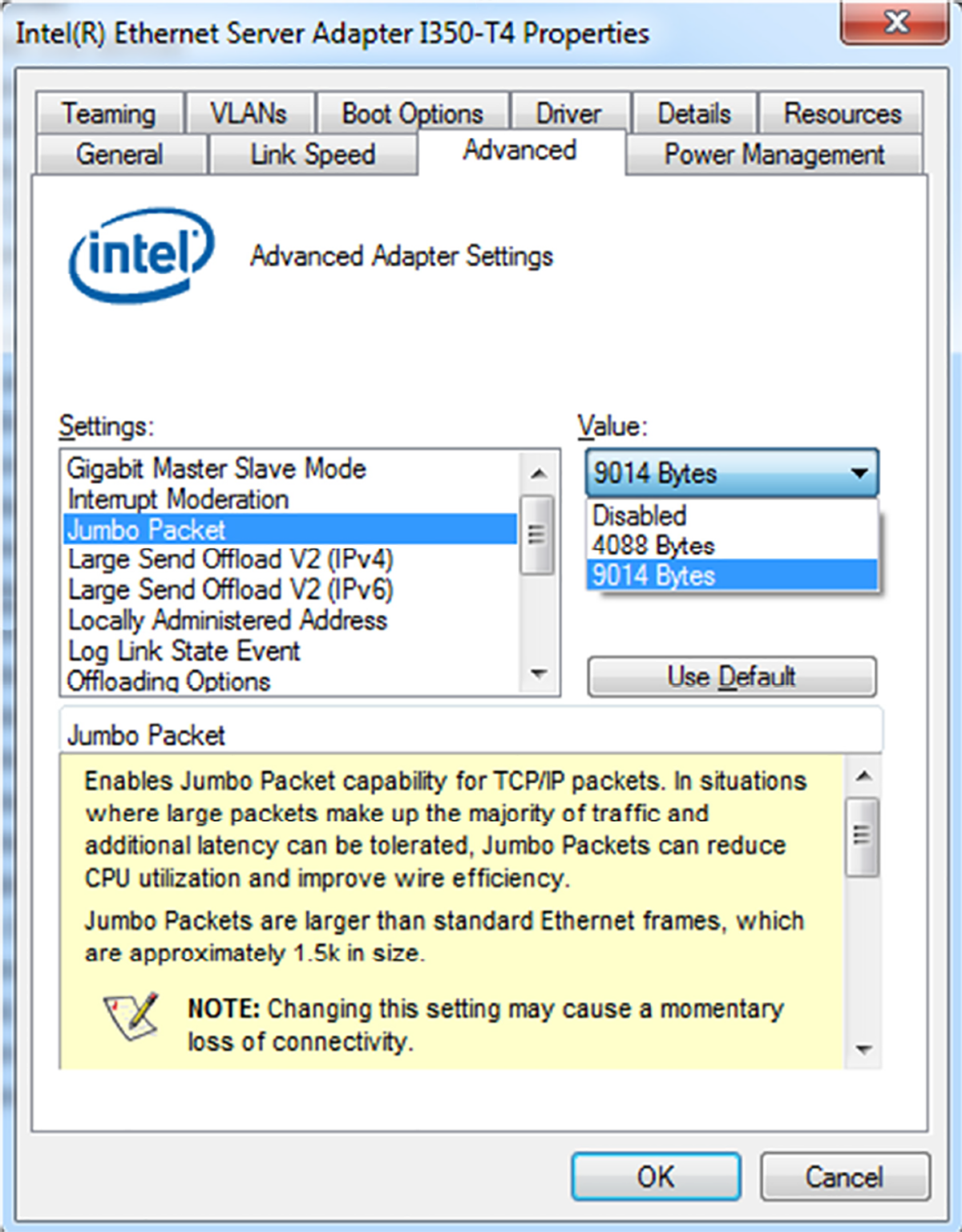
Jumbo Packets are Ethernet packets that exceed the standard packet size of 1518 bytes. Typical sizes can be 4, 9, 12 or 16 KB depending on the NIC (Network Interface Card) manufacturer. These packets are used to reduce the interrupt load of all devices on the network. Therefore, all components within the network must support Jumbo Packets.
To improve network performance and reduce the PC's CPU load, it is recommended to use the largest possible jumbo packet size. Baumer Gigabit Ethernet cameras support up to 9 KB.
Every time the PC receives an Ethernet packet, an interrupt occurs. The smaller the set packet size, the more interrupts occur.
Any interrupt disrupts the image transfer flow and causes CPU load due to various intra-OS switching operations.
To ensure stable and high-performance networking, select the largest jumbo packet size supported by both the camera and NIC.
Interrupt Moderation Rate
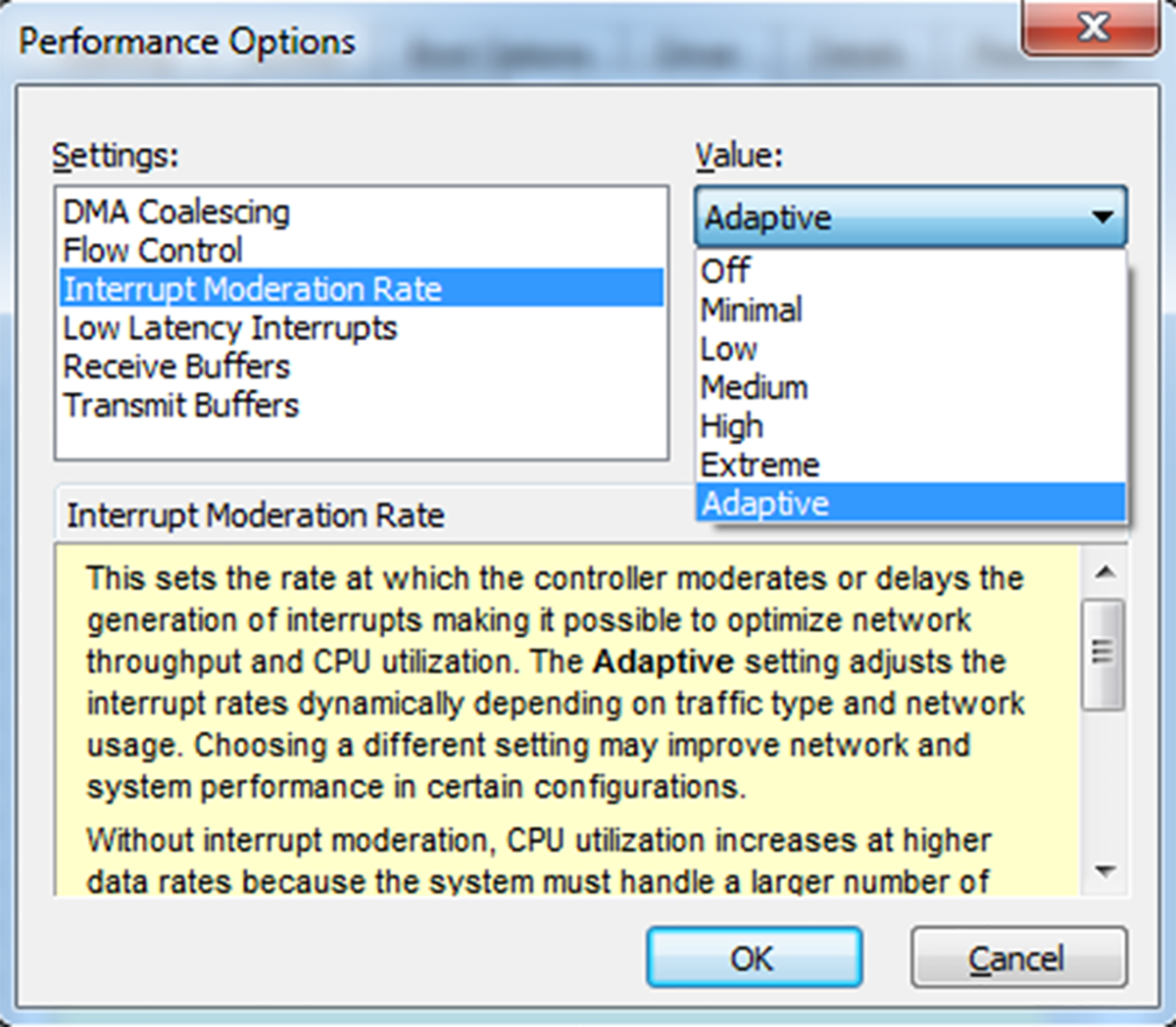
Not only the packet size, but also the truncation moderation rate has an impact on the truncation rate of packet data.
“Interrupt Moderation” When enabled, “Interrupt Moderation Rate” It can be selected from the Performance Options window.
Moderation speed is “Minimal” allowing almost any interrupt. with “Extreme” which allows almost no cutting. configurable between .
“Adaptive” When selected, automatic trimming is performed for an optimum value based on Intel® algorithms.
Receive Buffers
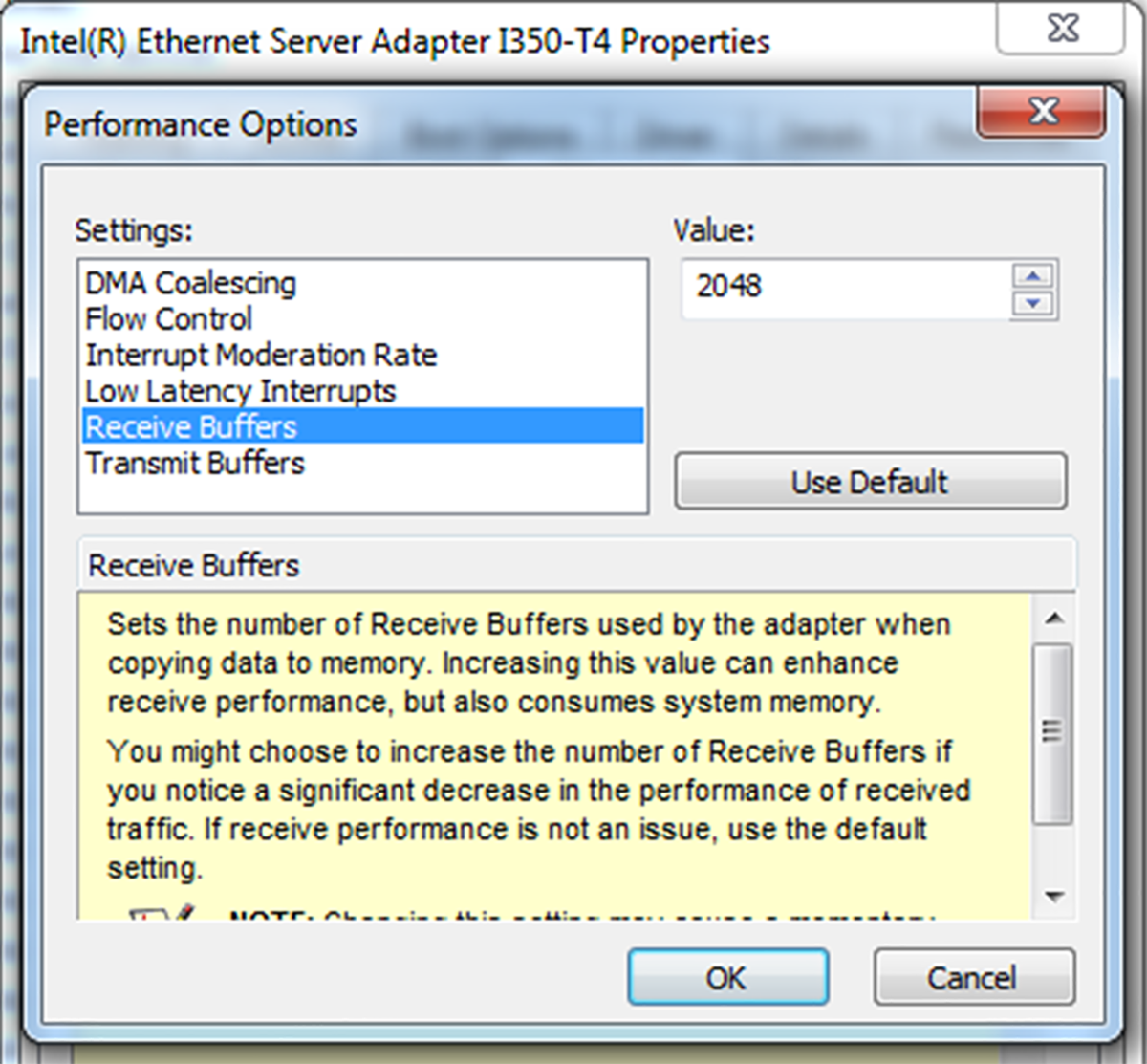
The NIC (Network Interface Card) itself does not have any buffering memory, but received data packets must be buffered to offset CPU load variations created by the operating system. Therefore, buffers are allocated in the PC's RAM.
In general, it is recommended to allocate as much receive buffer as possible. Baumer recommends a buffer number of 2048. Increased number of buffers reduces the risk of retransmission.