Sequence: Performing Double Shutter Operation [AN201623]
Baumer Cameras: VCXx (.I) (.I.XT) (only ≥ Version 2)
This document describes the general approach to using sequencers with Baumer industrial cameras. Examines how to perform dual shutter operation.
Dual Shutter
Double shutter allows capturing two very briefly exposed images within a short interval.
Expected Camera Behavior
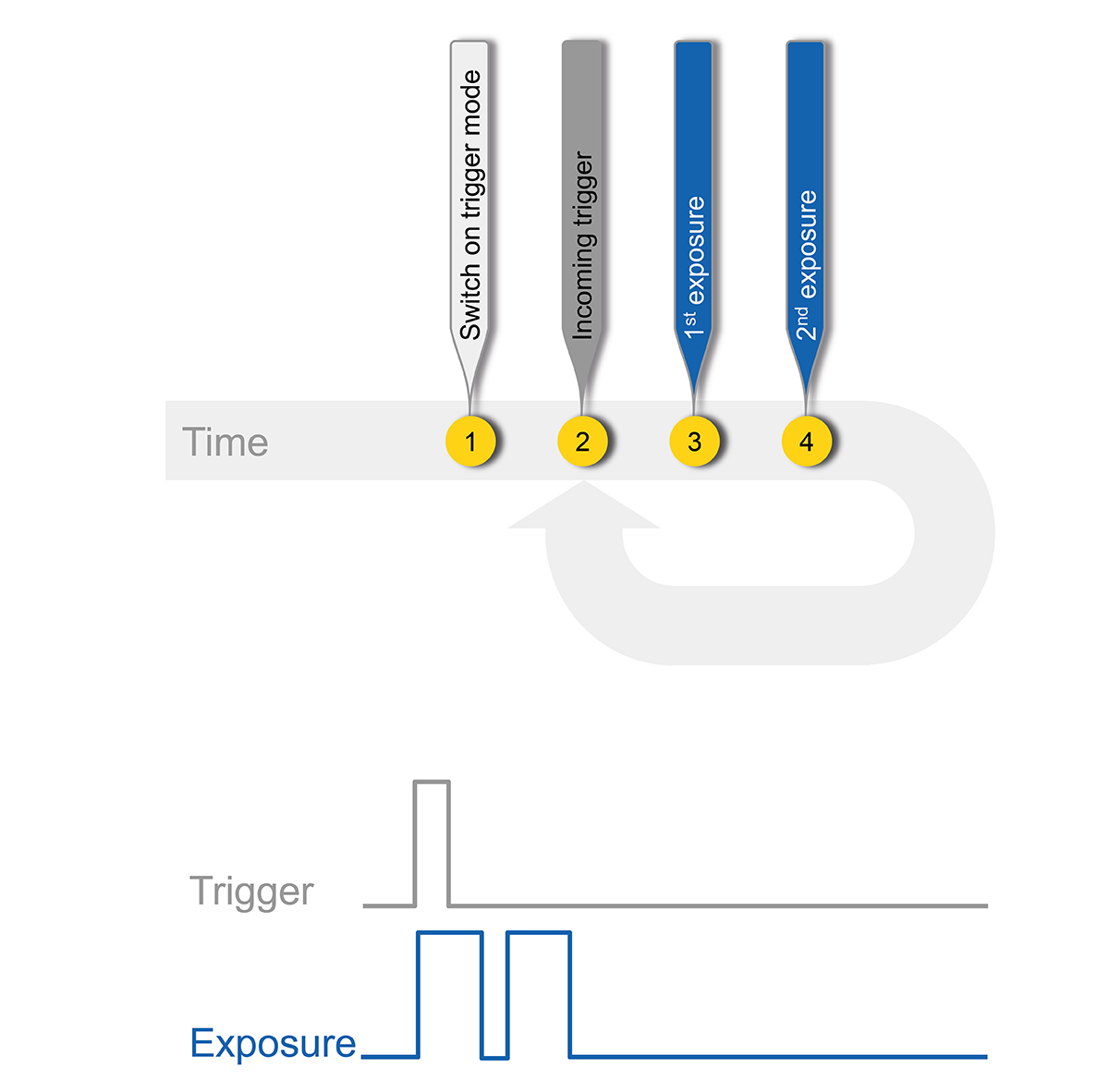
The theoretical approach is to set the camera in trigger mode and capture two images at the same exposure time with each incoming trigger signal.
Technical Limitations
This approach relies on flash illumination, meaning that each image taken is flashed, thus suppressing ambient light.
“Too short exposed images” means the set integration time is shorter than the sensor readout time. Here, the configured 2nd exposure time must be equal to or longer than the reading time.
To avoid sensor overshoot, the second short exposure requires a second short flash and must also eliminate ambient light.
Sequencer Procedure Concept
Considering the sequencer basics and the technical limitations of the dual shutter, sequencer parameterization becomes much more complex than initially expected:
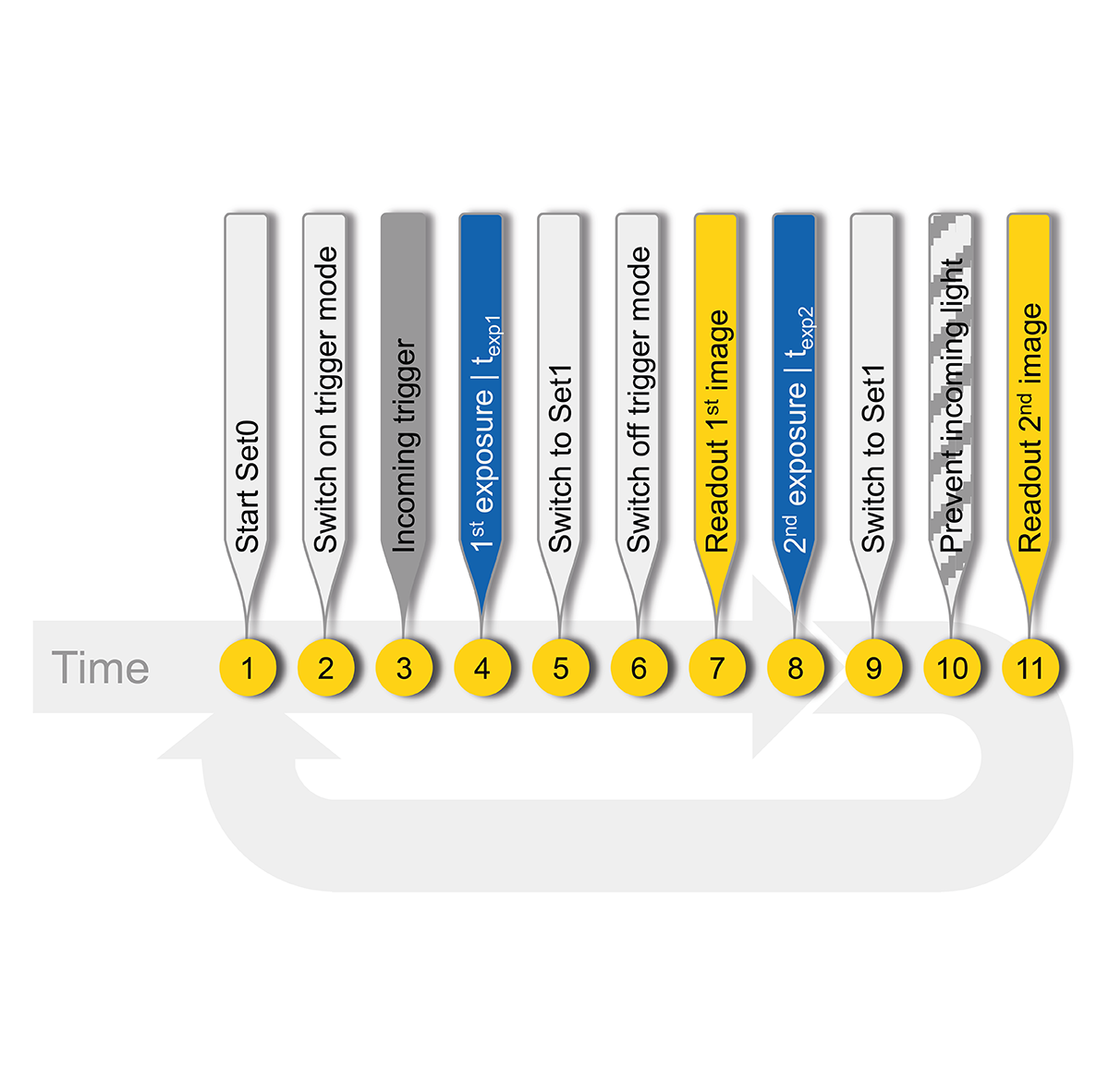
- Since the acquisition of the first image is triggered by the hardware, the second image must be acquired immediately and automatically with a different exposure time. Therefore, two different sets of sequencers are indispensable.
- First Set (Set0): This set contains the parameters required for Trigger Mode configuration and the desired exposure time for the first image.
- Second Set (Set1): This set returns the camera to a free-running state. The exposure time will be set to be equal to or longer than the reading time.
- Additionally, both sets must provide information regarding the sequence set and the pathway.
Application
Since the sequence will be run with the incoming trigger, a TriggerSource must be defined. Therefore, Line0 was added in the example.
First Set of Sequencers
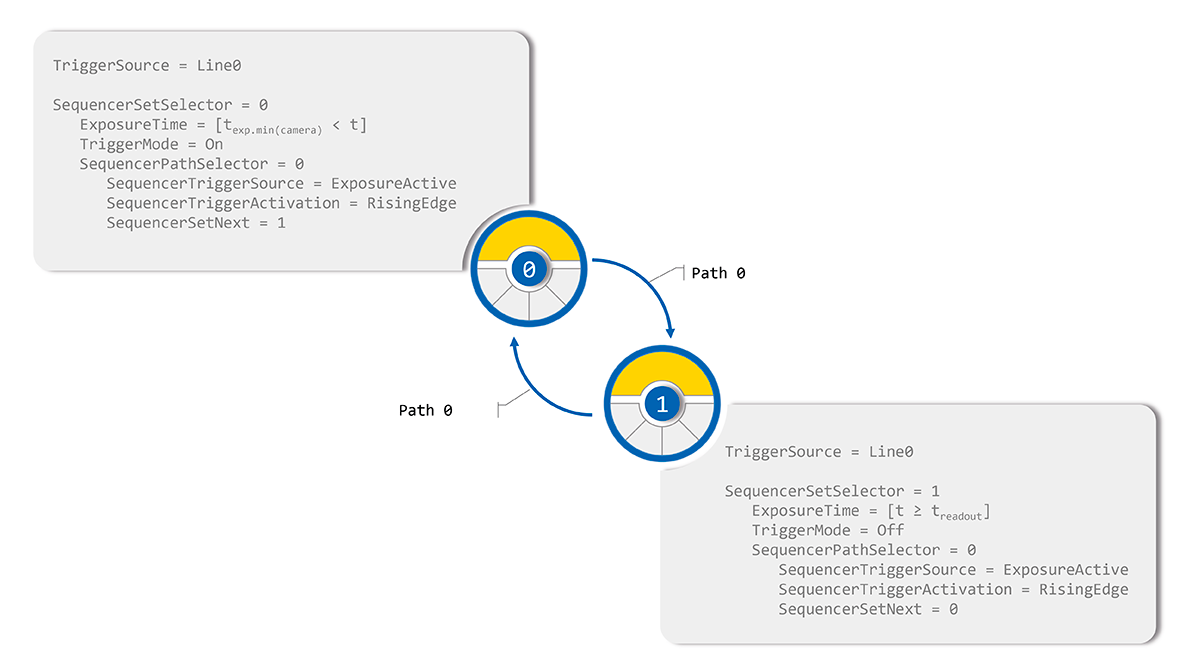
Set0 provides the sequencer controlled camera features ExposureTime and TriggerMode and this mode is enabled.
Sequence set and path related properties are:
- SequencerPathSelector = 0
- Defines the path to move to the next set of sequencers. Path0 is used here.
- SequencerTriggerSource = ExposureActive
- The sequence defines the internal or external signal used as the trigger source, where the internal signal is ExposureActive.
- SequencerTriggerActivation = RisingEdge
- Identifies the signal state change that triggers the transition to the next set of sequencers. In the example, this is RisingEdge.
- SequencerSetNext = 1
- It defines the next sequencer set in this path, in the example it is Set1.
Second Sequencer Set
Set1 contains the extended ExposureTime and turns off TriggerMode. Sequence set and path related properties are:
- SequencerPathSelector = 0
Defines the path to move to the next set of sequencers. Path0 is used to return to Set0. - SequencerTriggerSource = ExposureActive
The sequence defines the internal or external signal used as the trigger source, where the ExposureActive internal signal is used. - SequencerTriggerActivation = RisingEdge
Defines the signal state change that triggers the sequence set change, RisingEdge is used here. - SequencerSetNext = 0
Identifies the next set of sequencers in the corresponding path. Set0 is used to return.
Conclusion
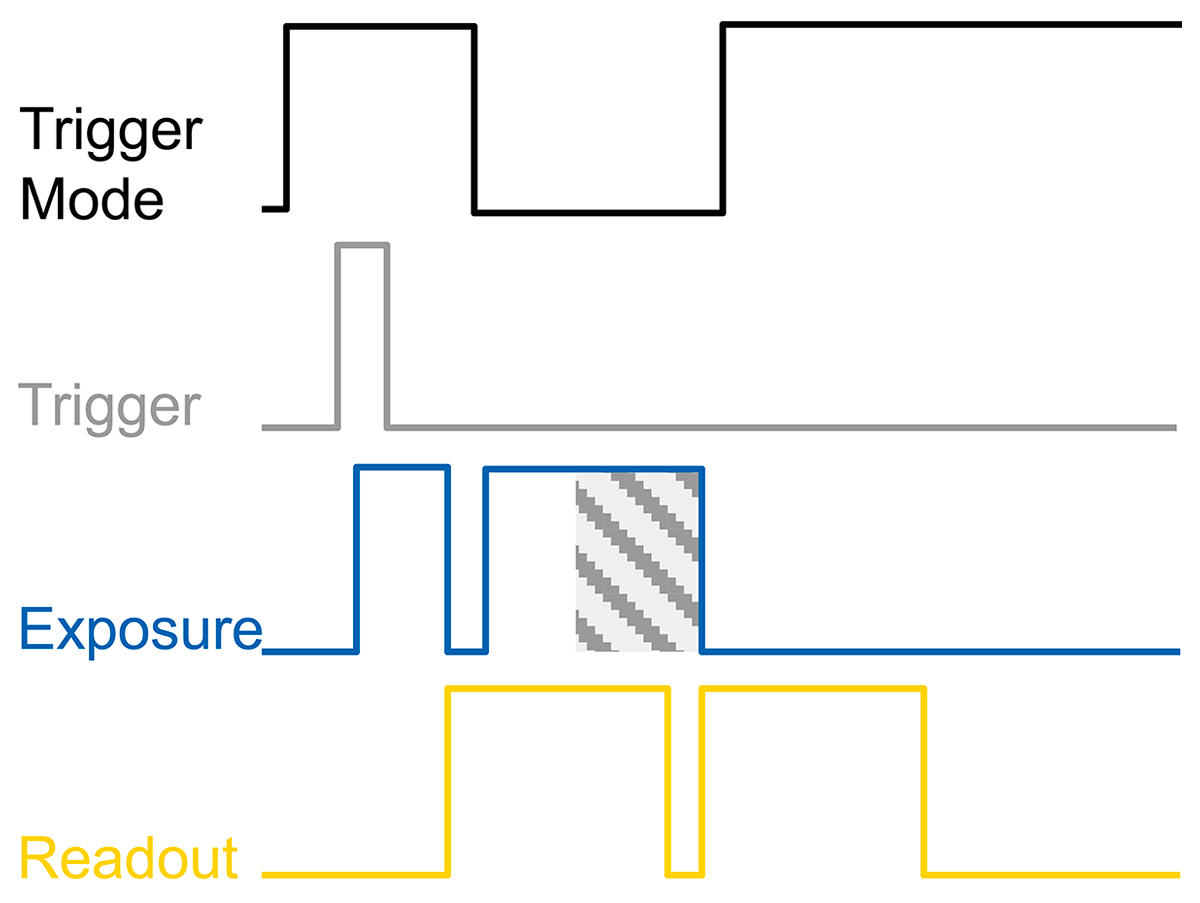
The figure shows the resulting signal curves of the dual shutter. The absence of ambient light (the gray-shaded area in the exposure signal) during the final stage of the second exposure results in the desired camera behavior. This indicates that the dual shutter operation has been successfully achieved and the ambient light has been effectively suppressed.