Sequencer: Realization of Moving Region of Interest (ROI) [AN201625]
Baumer Cameras: VCXx (.I) (.I.XT) (only ≥ Version 2)
This document describes the general approach to using sequencers with Baumer industrial cameras. Examines how to realize a moving region of interest (ROI).
ROI Movement
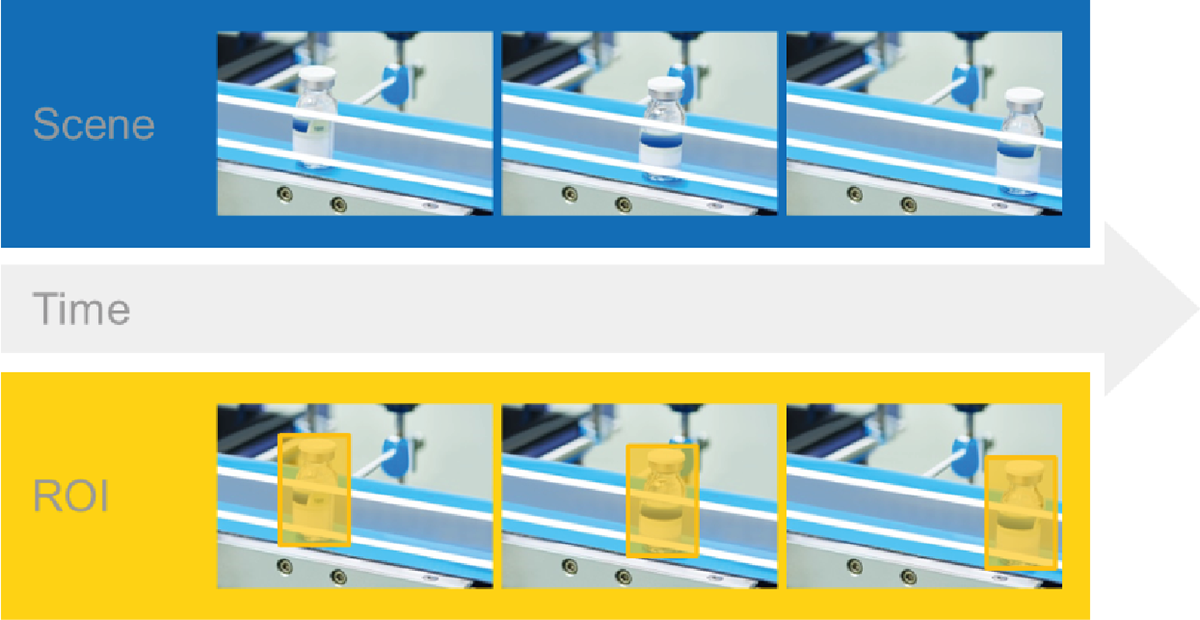
The sequencer allows changing the ROI (Region of Interest) position from one image acquisition to the next. This is, for example, 'tracking' moving objects within a larger field of view. and “removal” It makes operations such as possible.
The figure shows an example of a bottle being passed through the stage by a conveyor belt. This application aims to examine the bottle itself and therefore all other image information is unnecessary. To remove the bottle, the ROI must move from one image to the next. In this way, only the necessary part of the moving bottle can be viewed and examined.
Expected Camera Behavior
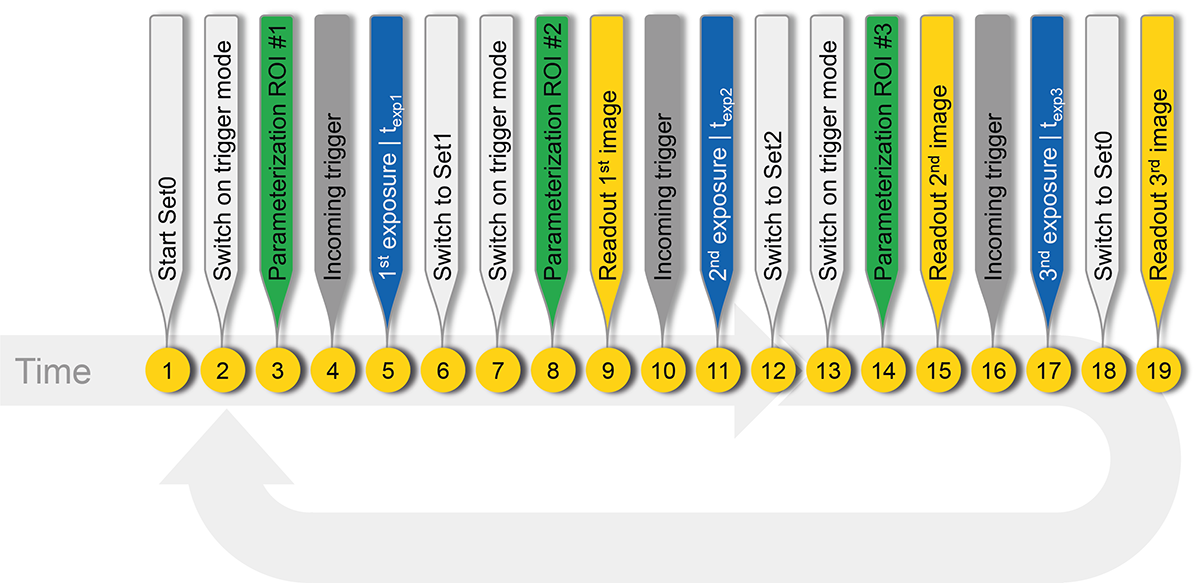
Theoretically, the aim is to set the camera in trigger mode and record an image with specific and pre-configured partial scan settings for each incoming trigger signal.
Concept for the Sequencer Procedure
Considering sequencer fundamentals and technical constraints, sequencer parameterization becomes a bit more complex than expected:
- Since each image has its own partial scan parameterization, a separate sequencer set is required for each.
- Along with the exposure time configuration, each set contains the desired partial scan configuration, which includes ROI height, ROI width, Offset x and Offset y, as well as information regarding the sequencer set and path.
Application
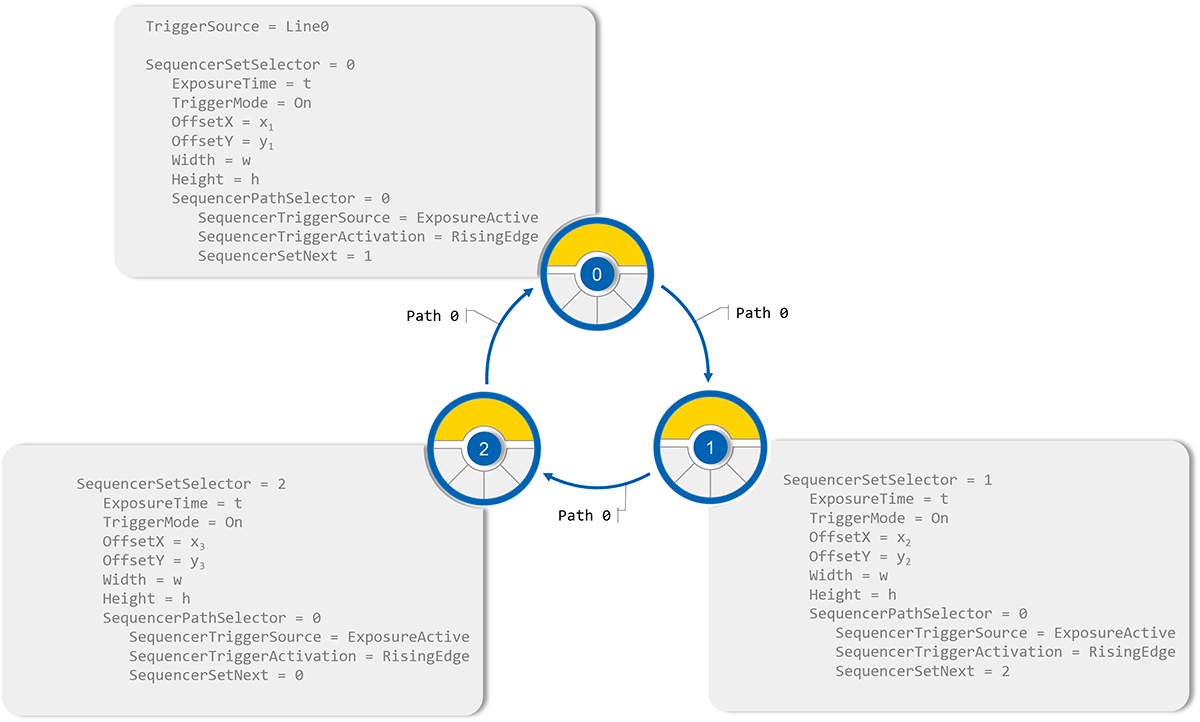
Since each image will be recorded in response to an incoming trigger signal, TriggerMode needs to be enabled and a TriggerSource needs to be defined. For this example, Line0 is selected as the trigger source and the hardware trigger is connected to this line.
Sequencer Sets
In this example, sequencer sets ROI configuration andSequencerSetNextvaries in terms of settings.
- SequencerPathSelector = 0
- Defines the path to move to the next set of sequencers. Path0 is used here.
- ExposureTime = t
- Defines the exposure time for the recorded image.
- SequencerTriggerSource = ExposureActive
- The sequence defines the internal or external signal used as the trigger source, where the ExposureActive internal signal is used.
- SequencerTriggerActivation = RisingEdge
- Identifies the signal state change that triggers the transition to the next set of sequencers. In the example, this is RisingEdge.
- SequencerSetNext
- This defines the next set of sequencers in the path:
- Set0: SequencerSetNext = 1
- Set1: SequencerSetNext = 2
- Set2: SequencerSetNext = 0
- This defines the next set of sequencers in the path:
Conclusion
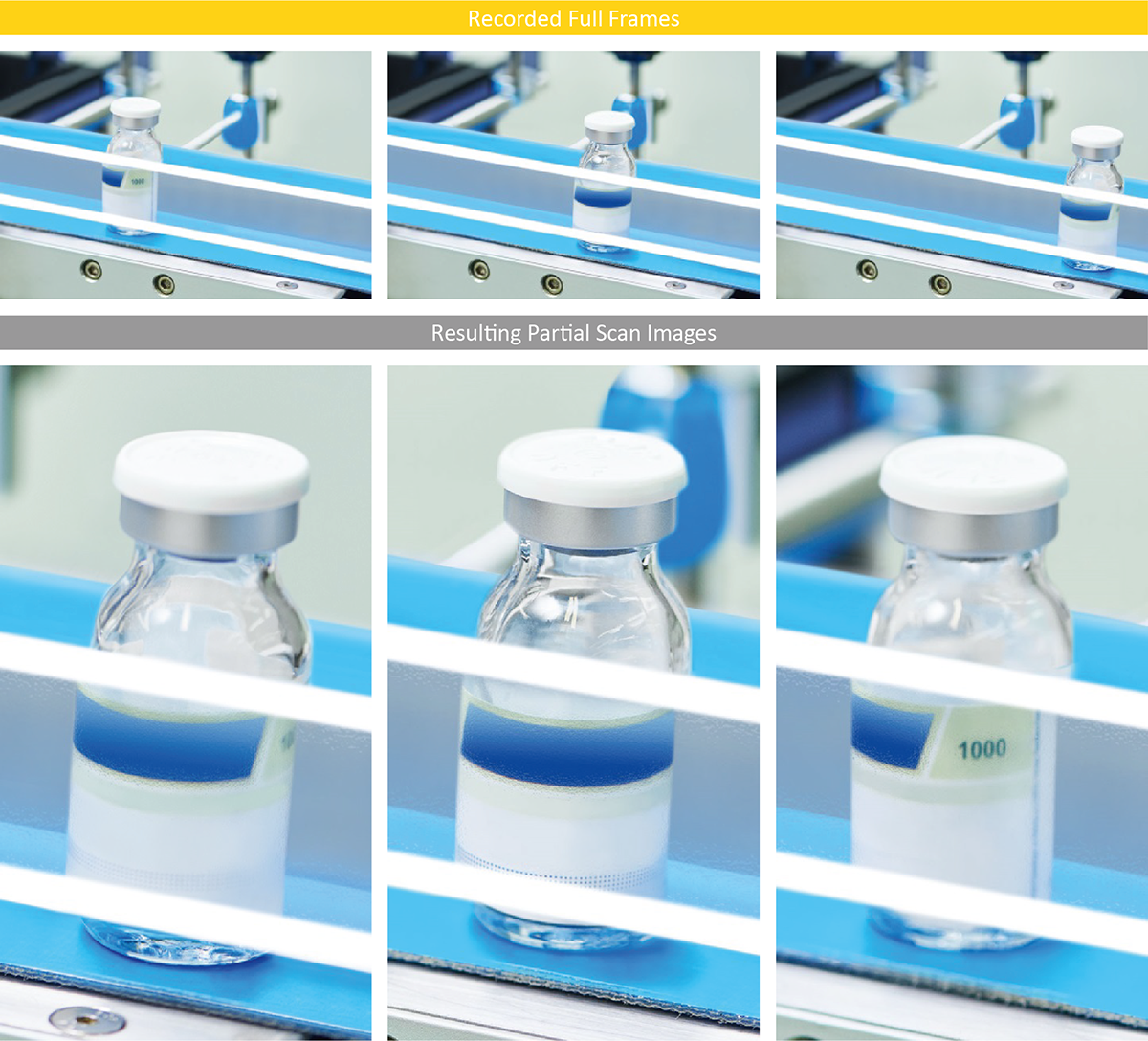
The figure below shows the images obtained as a result of the described sequence. By moving the ROI over the image, the bottle is virtually isolated within the camera.